Website
Check DNS, HTTPS, redirects, sitemap, robots.txt and sampled page content: titles, descriptions, headings, canonical links, alt text and structured data.
 smartgrowth.
A practical guide to your first project, your first analysis and a steady rhythm of improvement.
Create your workspaceCreate an account, open Projects and select Create a project. Add your name, description, audience and market so the analysis has useful context. Start with a public website you own or are authorised to analyse.
A project brings its workflows, connections, recommendations and analysis history together. You can add more workflows as your questions evolve.
Start with Website to establish a baseline. Add workflows to investigate particular channels or decisions.
Check DNS, HTTPS, redirects, sitemap, robots.txt and sampled page content: titles, descriptions, headings, canonical links, alt text and structured data.
Inspect public Google/Bing search samples or optional SerpApi positions. When search is unavailable, review keyword mentions in your own site's content.
Discover candidates, review them and save up to five direct competitors. Compare public website checks, content, search samples and offering summaries.
Set a goal, success criteria and source sites. Collect public evidence and ask your configured AI provider for a research brief.
Sample answers from one configured AI model and inspect brand mentions. These answers do not represent all AI engines or live AI search results.
Analyse every social account saved in Connections. Configure each network's API to collect available follower, engagement and insight metrics, with public sources and API data labelled separately. If no accounts are saved, get a practical social launch plan for your brand.
Review Apple public ratings and listing data, or Google Play listing checks. Private installs, retention and conversion need additional integrations.
Define authorised HTTP GET journeys with expected status codes and text. Checks do not submit forms or execute JavaScript.
Use Connections to configure optional providers. In your project's Integrations tab, connect Google and select a verified Search Console property matching your website. Basic and Premium enable managed AI. API requests additionally require an administrator-assigned token. YouTube needs an API key; Mastodon uses public instance data.
Public website checks and built-in search do not need a paid API key. Public search can be blocked or unavailable. Optional search and social providers may have separate usage charges.
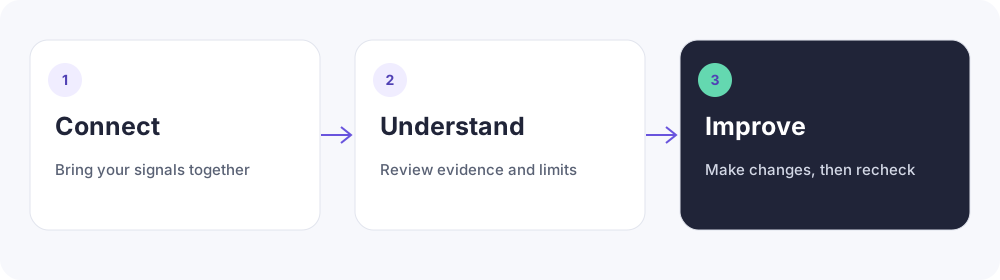
Explore the available connectors →Save the workflow and select Run analysis. SmartGrowth queues the job for its background worker; you can leave the page and return later. Work queue shows progress, failures and cancellation. The workflow view refreshes while work is active.
The deployment needs a running SmartGrowth worker. Ask your workspace operator to check the worker and provider configuration. Missing credentials or unavailable sources are explained in the results or job status.
Review findings, source links, evidence coverage and limitations before choosing an action. Health scores summarise applicable sampled checks. Missing data stays missing; a content check is not a search ranking.
Use JSON and CSV exports from your project to share and inspect the evidence. Compare equivalent workflows and source coverage when reviewing trends.
Prioritise recommendations by estimated impact and effort, track their status, and make the changes in your own website or content tools. SmartGrowth does not automatically edit or publish your website.
Re-run to see whether the sampled findings changed. Set a daily, weekly or monthly schedule where useful. Keep a note of what changed and when; an improving audit score alone does not prove an increase in sales or rankings.
Start with one project. Build a habit of improvement.